Few investments give as strong and quick a return as a well-implemented CRM and Marketing Automation platform. And HubSpot is one of them. When implemented correctly, it aligns marketing, sales, and service fast, reduces friction, and starts delivering measurable ROI in weeks, not months.
So how do you make sure your brand new HubSpot implementation doesn’t end in frustration, a lack of ROI, and wasted budget? In this article we share our steps to implementing HubSpot for maximum impact, respecting your time, budget, and strategic priorities.
Before we walk through the steps, here are a few reasons why HubSpot tends to pay off faster than many other systems:
Modular & out-of-the-box capabilities HubSpot provides a lot of built-in functionality (CRM, marketing automation, workflows, dashboards) so you spend less time building from scratch.
Intuitive UI & low technical barriers Teams pick up the system rapidly. Less training, fewer bottlenecks, less dependency on heavy IT implementation.
Fast setup & launch phases You can begin using core features quickly: lead capture, basic nurturing, deal tracking. You don’t need to wait for every possible integration to be in place to see results.
Focus on quick wins Early wins (like improving lead response time, automating manual tasks, better sales-marketing alignment) help justify the investment early and generate stakeholder buy-in.
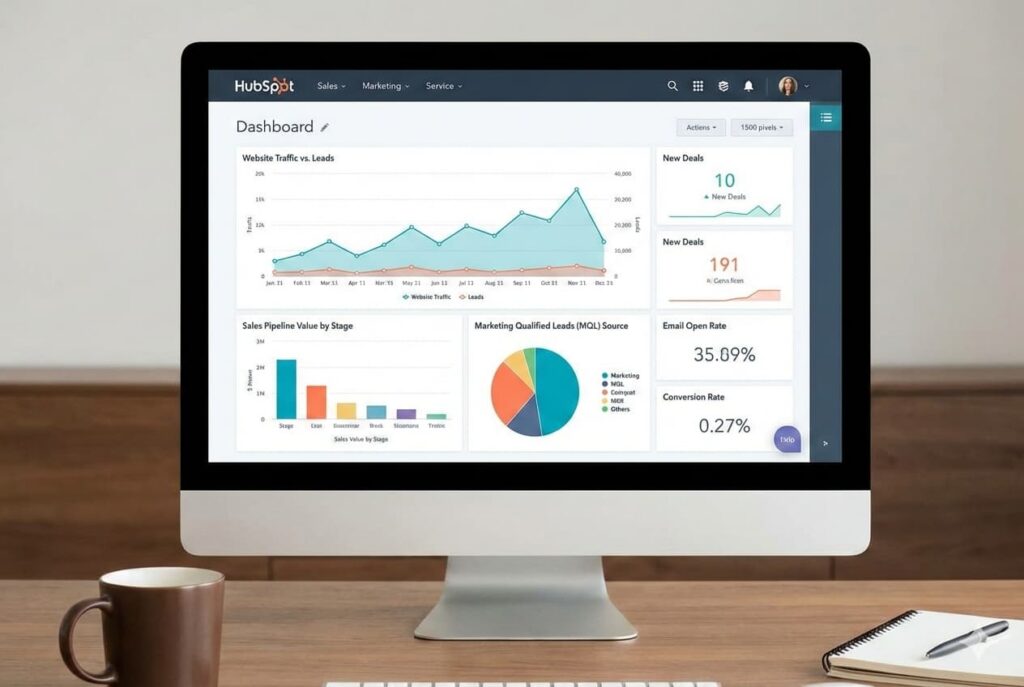
Data & reporting from day one Since HubSpot consolidates data well, you can begin monitoring KPIs immediately, giving you visibility on what’s working and what to optimize.
Straightforward roadmap to HubSpot implementation
Not every piece of content is worth repurposing. Focus on your pillar content:
Research reports
White papers
Webinars or event recordings
Long-form guides
Data studies
These assets are rich enough to break into multiple smaller, targeted pieces.
Step 1 - Strategize & align
"By failing to prepare, you are preparing to fail"
Before you start doing anything, you need to know what you are trying to achieve. What are the core KPIs? What current pain points are you solving? Which departments must integrate? In this fase you need to define your goals, metrics, and what success looks like. You should involve marketing, sales, service, finance and operations from the start.
This way, you create buy-in across different teams and you ensure that your HubSpot implementation will be based on concrete needs within your organization. This is the time for different teams to closely collaborate and define realistic expectation. Without all this, chances are your HubSpot implementation will miss the mark and you won’t see the ROI you wanted.
Step 2 - Audit current state
Now that you know where you want to be, its time to take a closer look at your current CRM and other tools you are using. Where do you see manual work happening? What other systems do you need to integrate with HubSpot? What processes are still relevant? What data is clean, and what data needs cleaning?
By meticulously analyzing your current processes and existing systems, you create a solid base for your HubSpot implementation. Make sure to thoroughly analyze your customer data. If your current systems are seriously outdated you risk losing a lot of value when you migrate. It is wise to bring in the right external expertise.
Step 3 - Choose license & Hubs
Its time to start setting up your HubSpot portal. Depending on your organization’s needs, choose the right HubSpot “Hubs” (Marketing, Sales, Service, Content, Operations, Commerce) and license level to match both immediate and growth needs. Again, bring in a HubSpot specialist to help you navigate the different Hubs and the features they offer.
This is an important step: too many HubSpot setups fail because companies don’t configure the right Hubs and licenses. This often causes a failed setup and wasted budget with little to no ROI. Especially if you’re looking at a complex setup, it’s important to carefully evaluate what you need to have a clear understanding of both the investment and the potential ROI.
Step 4 - Configuration and design
Once you have chosen the right Hubs and license levels, it’s time to set up your HubSpot account. This where you create fields, pipelines, lifecycle stages, lead scoring, templates, assets. Don’t just look at what you need today, but organize for scalability. Small changes are inevitable, but a good implementation should help you avoid major changes later on.
Your CRM is only as good as how it was set up. Your HubSpot portal will work well if it is well aligned with your business processes and your strategy.
Step 5 - Integrations and data migration
Changes are your organization uses other tools too. Your HubSpot CRM works better if these tools are integrated and help you create better customer journeys. Think existing systems like ERPs, accounting software, or an email platform. Connecting these tools with HubSpot helps you get all data in 1 platform, which will help you make better decisions and create more ROI.
Talking about data: before you start using your CRM, you need to migrate clean data. This is more complex than companies realize. Check your current data for gaps, consistency and accuracy. Leave out the outdated data: it’s no use working with data of low quality. These will only cause issues in your HubSpot portal. External expertise with the right experience in data cleaning, mapping and validation can help you dodge this bullet.
Step 6 - Automation & workflows
Time to start your automation journey. Create email templates, forms, landing pages and workflows. Templates and campaigns help new team members get started quickly. Work together with your sales team to optimize lead generation and nurturing processes. Define together how you can setup lead handover workflows and set up notification rules to alert the team about new leads.
Step 7 - Testing and validation
Before you go live, test your workflows, forms and integrations thoroughly. Do your workflows work as expected? Does your lead routing work correctly? Do your processes do what they are supposed to do? And do your notifications work? Make sure to test whatever you can, and gather feedback from users. With this feedback you can fix what is broken and optimize.
Don’t neglect this test fase: it helps you prevent major issues after go-live. This is especially the case if you have a complex HubSpot setup. Small mistakes can have big consequences for your success and the collaboration between different teams.
Step 8 - Training & launch
We believe that a good onboarding includes training. So train your users properly (sales reps, marketers, service department). You can organize training sessions for your staff, set up Q&A sessions or create manuals.
Training users is crucial for user adoption and the success of your brand new HubSpot portal. It also helps you identify champions in your team that can help onboarding others and signal issues early on.
Step 9 - Go-live
Carefully plan your go-live. Launching a new HubSpot portal is a big change, so make sure to communicate internally with all stakeholders. Explain why you are implementing a new CRM and why you chose HubSpot. This helps you create buy-in from the rest of the organization.
Make sure you choose a good moment to go live, so you have support staff available in case there are any issues. Check if everything is running smoothly and if unexpected issues turn up. If anything unexpected happens, react quickly and show you are on top of it. The first couple of weeks are crucial to prevent users from dropping the platform or thinking your new CRM was a mistake.
10 - Post-launch optimizations
The real work only begins after go-live. Now it’s time to run campaigns, generate leads, fill your pipeline and close deals. So actively ask your users for feedback. Is everything working well for them? What bottlenecks do they see? What can be improved? Use their input to optimize processes.
Your HubSpot portal contains a lot of data. Use this to continuously optimize. Your portal comes with vast dashboarding and reporting capabilities built in, so use these to monitor activity. You’ll enable your team to improve customer relationships and generate revenue.
A successful HubSpot implementation is about more than just software. It’s about optimizing processes and connecting teams to bring sales and marketing to higher levels. With an actionable roadmap and the right expertise, you drastically improve your chances of success.
If you are looking to really make a difference with HubSpot for your organization, it is crucial to take the right approach.
Guide to CRM-powered marketing
In this guide, we explore how you can harness the power of your data and turn your CRM into a revenue-generating growth engine.